// ad analytics from your CRM export
Raw CRM data → which channel actually pays off
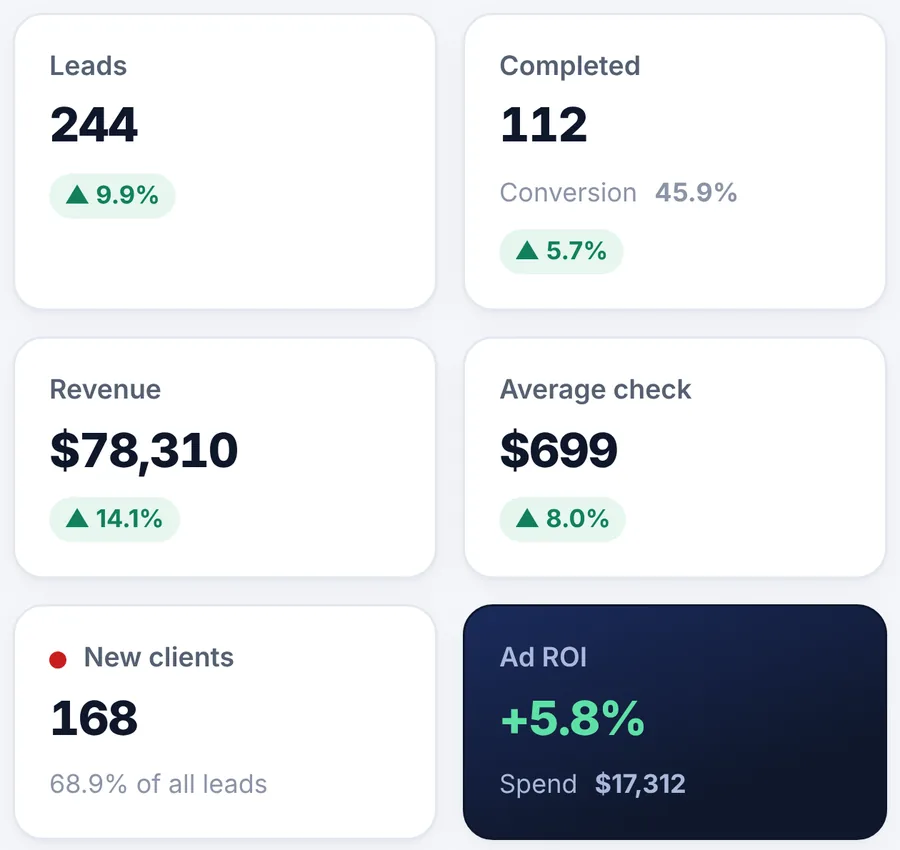
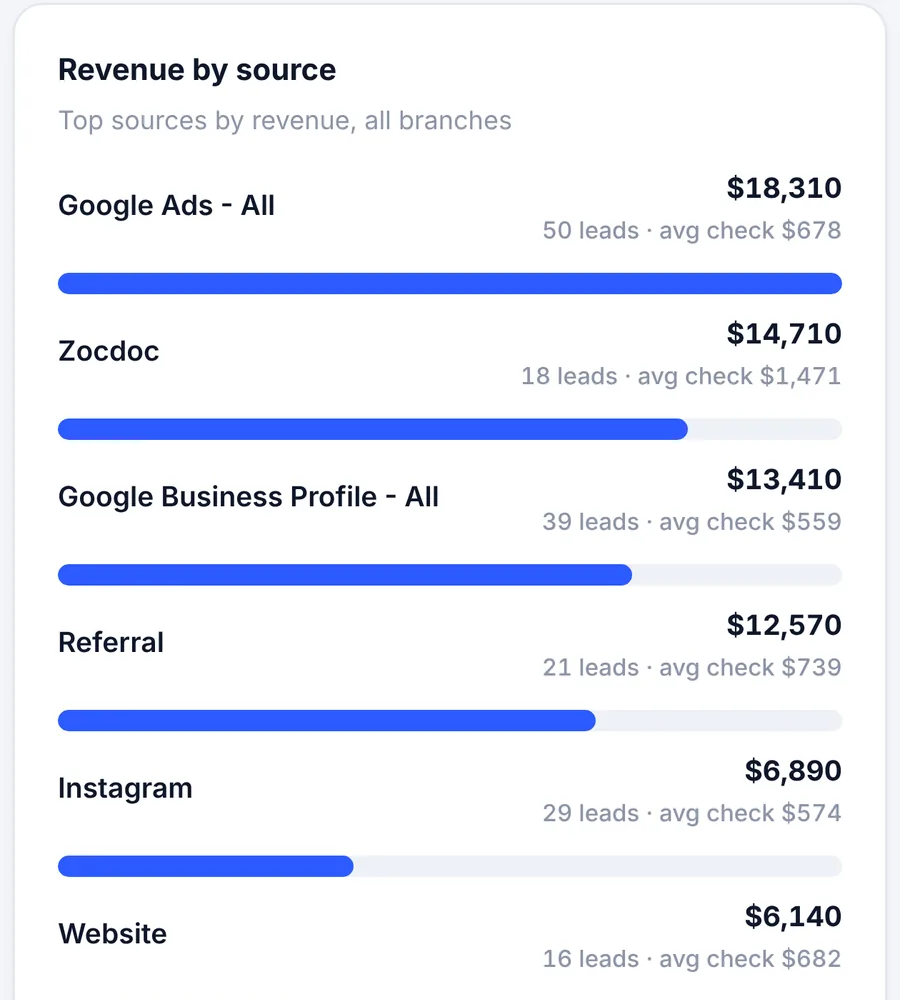
Rootra reads Excel and CSV exports from any CRM, maps the columns by itself and counts revenue, ROI and clients by channel.
// what it looks like
Inside Rootra
01 · key metrics
02 · sources
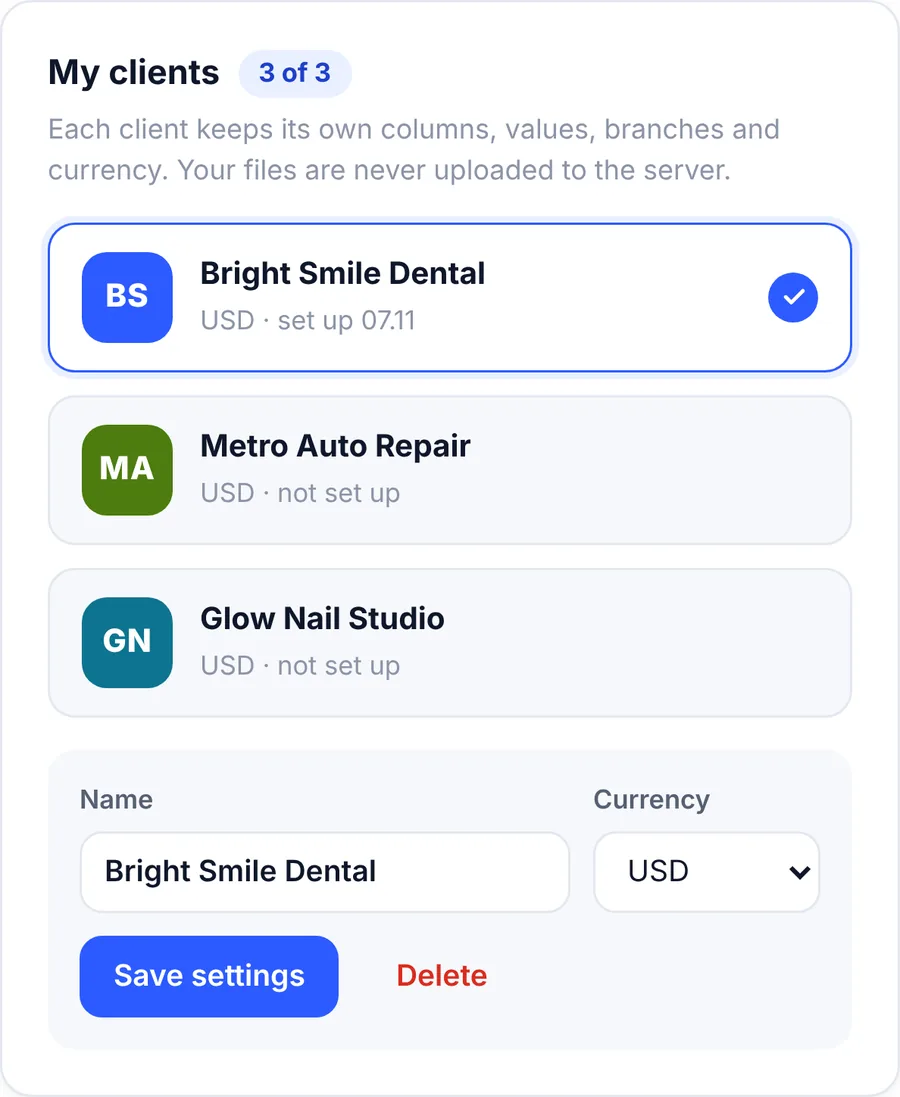
03 · analyst clients
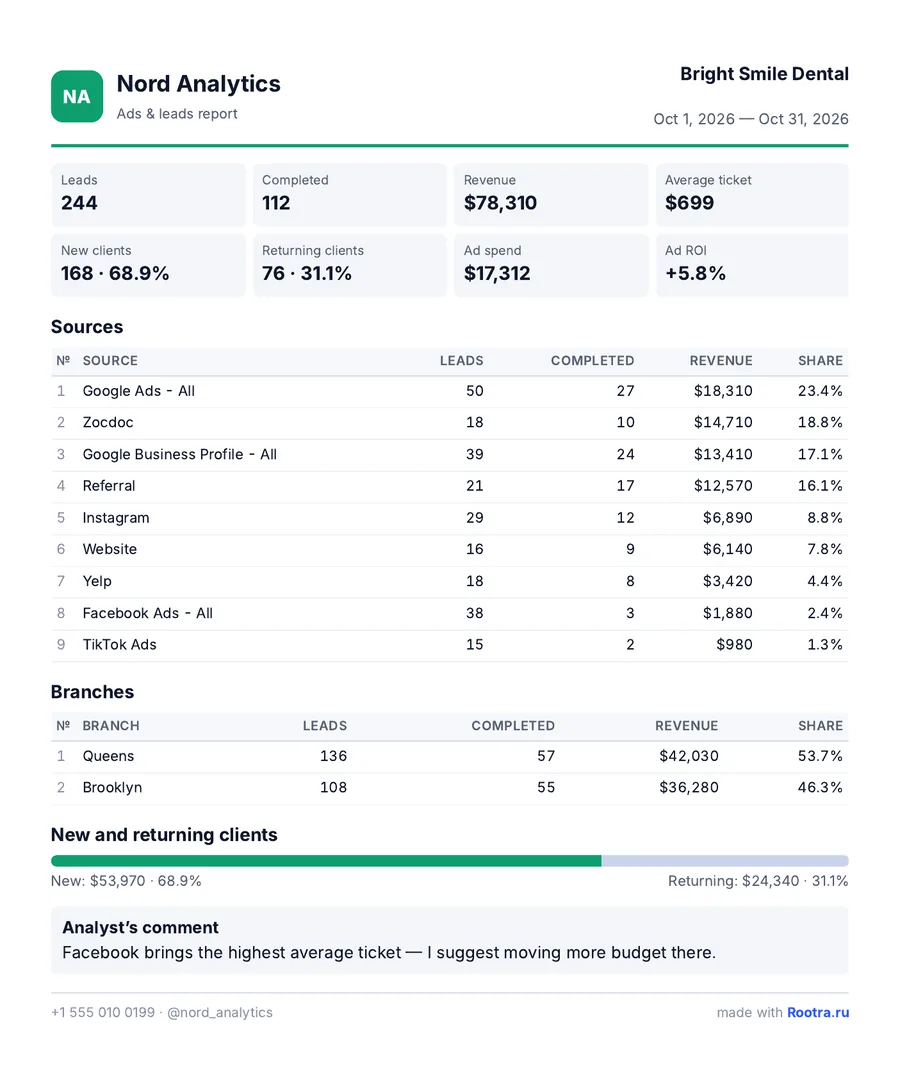
04 · pdf report
// screenshots show demo data
// what it counts
01
revenue
by channel and period
02
ad_roi
payback of every source
03
new / returning
who came first time and who came back
04
branches
every location on its own
role: owner
For business owners
Know where to spend on ads — no analyst, no paid CRM add-ons.
role: analyst
For CRM analysts
A workspace per client, set up once, PDF reports with your logo.